As children spend more time on smartphones, many parents naturally wonder what they are doing online. You may want to know which apps they use, how much time they spend on their phone, who they communicate with, or whether they are encountering inappropriate content. The good news is that parents can monitor a child’s phone activity in several responsible ways without secretly installing invasive tracking software.
The best approach is to combine built-in parental controls, screen-time tools, open communication, and age-appropriate boundaries. Instead of trying to secretly read every message or monitor every action, parents can focus on understanding their child’s digital habits and protecting them from genuine online risks.
If you are wondering how to see what my child is doing on their phone, this guide explains practical and safer methods for Android and iPhone users.
Why Parents Want to Monitor Their Child’s Phone
Smartphones give children access to entertainment, social media, games, messaging platforms, websites, and online communities. While these tools can be useful, they can also expose children to content or situations they may not know how to handle.
Parents may be concerned about excessive screen time, inappropriate websites, cyberbullying, strangers contacting their child, online scams, or social media pressure. Younger children may also accidentally make purchases, download unsuitable apps, or visit websites that are not appropriate for their age.
Phone monitoring does not necessarily mean invading a child’s privacy. In many families, it means creating reasonable limits and knowing enough about a child’s digital environment to step in when necessary.
The key is to use monitoring as a safety tool rather than treating it as a way to secretly observe every part of a child’s private life.
How to See What Your Child Is Doing on an Android Phone
If your child uses an Android phone, Google Family Link is one of the most useful options for parents. It is designed to help parents manage and supervise a child’s Google account and Android device.
With Family Link, parents can view information about how much time a child spends using their device and which apps they use. Depending on the device, account settings, and available features, parents can also manage app downloads, set screen-time limits, establish bedtime schedules, and apply content restrictions.
Using Google Family Link
To get started, parents generally need their own Google account and their child’s supervised Google account. Family Link allows parents to connect the child’s device to parental supervision and manage relevant settings from the parent’s device.
One important advantage of this approach is transparency. Rather than secretly installing software, the parent uses Google’s official parental-control system. This makes it easier to establish clear expectations with the child about what is being monitored and why.
Family Link is particularly useful if your main goal is to understand what apps your child is using, how long they are spending on their phone, and whether their digital habits are becoming excessive.
How to Check What Your Child Is Doing on an iPhone
For children using an iPhone, Apple’s built-in Screen Time and Family Sharing features provide several parental-control options.
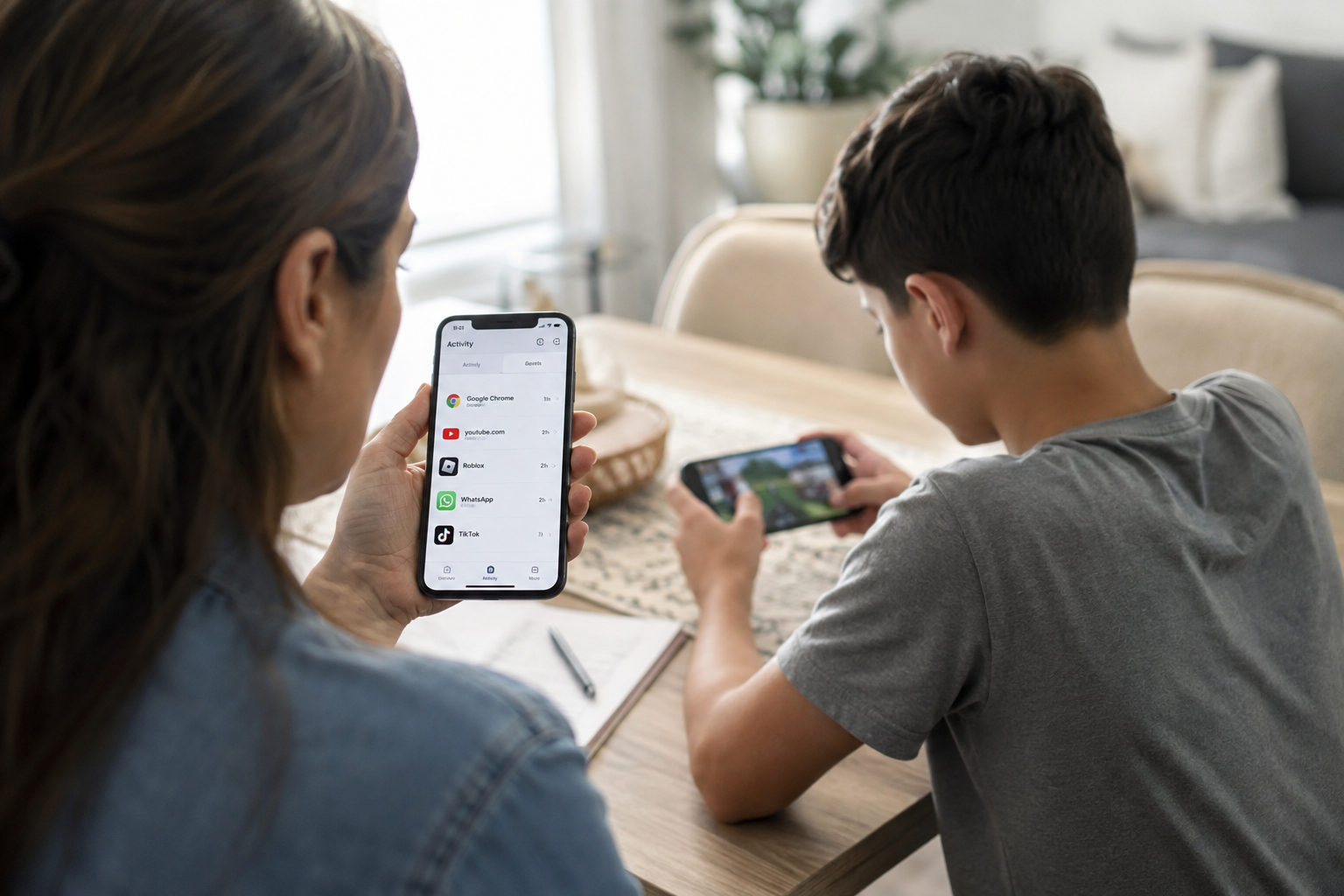
Screen Time can show how much time has been spent on different categories and apps. Parents can use this information to identify patterns. For example, you might discover that your child is spending several hours on a social media application when you thought most of their phone time was being used for schoolwork.
Parents can also establish limits for particular apps or categories and restrict certain content or purchases. Communication and privacy settings can provide additional controls depending on the child’s age and Apple’s current features.
Using Apple Family Sharing and Screen Time
Family Sharing allows parents to manage certain settings for family members from their own Apple devices. When properly configured, parents can review Screen Time information and establish appropriate restrictions.
The goal should not be to eliminate all smartphone use. Children often need phones for school, communication, navigation, entertainment, and social interaction. Instead, Screen Time can help parents identify unhealthy patterns and create realistic boundaries.
Can You Read Your Child’s Text Messages?
This is one of the most common questions parents ask when they want to know how to see what their child is doing on their phone.
The answer depends heavily on the child’s age, the device, the app being used, and your family’s approach to privacy. Standard parental-control features generally focus on screen time, apps, content restrictions, and safety settings rather than giving parents a complete copy of every private conversation.
Trying to secretly access private messages through spyware or hidden monitoring applications can create serious privacy and security concerns. Some apps marketed as “parental monitoring” tools require extensive permissions and may expose sensitive information to third parties.
For most families, it is better to establish clear rules about messaging and social media use. If there is a genuine safety concern, such as bullying, threats, grooming, or contact from an unknown adult, parents may need to become more directly involved.
How to Monitor Social Media Activity
Social media is often the area parents are most concerned about. Platforms can expose children to strangers, inappropriate content, cyberbullying, unrealistic social comparisons, and other risks.
Rather than trying to secretly monitor every social media interaction, start by learning which platforms your child uses and what they use them for. Ask them to show you how the apps work. This can turn monitoring into a conversation rather than an interrogation.
Parents should also review privacy settings together with their children. Accounts should generally have privacy protections appropriate for the child’s age, and children should understand why they should be careful about sharing personal information, photographs, locations, school details, or other identifying information online.
Watch for Changes in Digital Behavior
Sometimes the most useful information is not a specific message or website but a sudden change in behavior.
If a child becomes unusually secretive about their phone, starts receiving messages from unknown people, appears distressed after using social media, or suddenly spends much more time online, it may be worth having a calm conversation.
These changes do not automatically mean something dangerous is happening. Children can become private for many normal reasons. However, noticeable changes can provide an opportunity for parents to check in and make sure everything is okay.
How to Check Your Child’s Location
Location sharing can be useful for younger children, particularly when they travel to school, visit friends, or participate in activities away from home. Both Android and iPhone ecosystems offer legitimate location-sharing features that can be used with family accounts.
However, location tracking should be handled carefully. A child should understand that location sharing is being used for safety rather than as a tool for constant surveillance.
As children become older and more independent, families may need to reconsider how much location information is appropriate. The right level of monitoring can change as a child demonstrates greater responsibility.
Should Parents Use Phone Monitoring Apps?
There are many third-party applications that advertise the ability to monitor calls, messages, social media accounts, browsing activity, GPS locations, and other phone information. Some are legitimate parental-control products, but parents should research them carefully before installing anything.
A monitoring app may require access to extremely sensitive information. Giving an unknown company access to messages, contacts, photographs, browsing history, or location data can create privacy and security risks.
Parents should also avoid apps designed to operate secretly or disguise themselves from the phone’s user. Hidden surveillance can undermine trust and may create legal or ethical problems depending on where you live.
For ordinary parental supervision, built-in tools from Apple and Google are often a better starting point because they are designed specifically for family safety and device management.
How to Monitor Without Destroying Trust
Knowing how to monitor your child’s phone is only part of the solution. The way monitoring is introduced can be just as important.
Children are more likely to cooperate when parents explain what they are monitoring and why. Instead of saying, “I need to see everything you do,” explain that smartphones come with risks and that your responsibility is to help them use technology safely.
Parents can create age-appropriate rules covering screen time, app downloads, social media, online purchases, location sharing, and communication with strangers. These rules should be discussed before problems occur.
It is also useful to give children some privacy as they mature. A teenager who knows that every conversation will automatically be inspected may become less willing to discuss genuine problems. Monitoring should therefore be adjusted according to age, maturity, and circumstances.
What Parents Should Avoid
Parents should be cautious about secretly installing spyware, stealing passwords, bypassing security protections, or using suspicious applications that promise complete access to a child’s phone.
These methods can expose both the parent and child to security threats. Some questionable monitoring applications can collect large amounts of personal information, and poorly secured services may leave that information vulnerable.
Parents should also avoid relying entirely on monitoring technology. No parental-control application can replace a conversation about online safety.
Technology can tell you that a child spent two hours using an app, but it cannot always explain why. A conversation may reveal that they were doing homework, talking to a friend who was having a difficult day, or dealing with a problem that requires parental support.
Creating a Healthy Phone Routine
A healthy digital routine can reduce the need for constant monitoring. Families can establish phone-free periods during meals, homework, family activities, and bedtime.
Charging phones outside the bedroom at night can also help reduce late-night scrolling and improve sleep routines. Parents can follow the same rules themselves because children are more likely to accept boundaries when they see adults following them too.
It is also helpful to review digital rules occasionally. As children grow, their needs change. A rule that makes sense for a ten-year-old may be unnecessarily restrictive for a sixteen-year-old.
The purpose of parental controls should ultimately be to help children develop the skills they need to manage technology independently.
Final Thoughts
If you are searching for how to see what my child is doing on their phone, the safest starting point is not secret surveillance. Use legitimate parental-control features such as Google Family Link on compatible Android devices or Apple’s Screen Time and Family Sharing features on iPhone.
These tools can help you understand app usage, manage screen time, restrict inappropriate content, and establish reasonable digital boundaries. For social media and messaging, open communication is often just as important as technology.
The best parental monitoring strategy changes as a child grows. Younger children may need stronger restrictions and closer supervision, while teenagers gradually need more independence. By combining appropriate parental controls with honest conversations and clear expectations, parents can protect their children while still building the trust they will need to make good decisions online.